REVIEW · NOOSA AND SUNSHINE COAST
Amazing Scavenger Hunt: Caloundra On The Coast
Book on Viator →Operated by Let's Roam · Bookable on Viator
A map app turns Caloundra into your game. This is a self-guided scavenger hunt around Kings Beach and central Caloundra, using the Lets Roam app for clues, riddles, and photo challenges along a set route.
I like the built-in flexibility: you pick your start time, move at your own pace, and the 2-hour route finishes back where you began at 1 Spender Ln in Kings Beach. I also like the group structure. Each person gets a role—Braniac, Photographer, or Mapper—so your team has jobs, not just wandering.
One possible drawback: this is not a guide-led “hunt with a host,” and it’s not designed as a classic item-finding scavenger hunt. If you want someone to keep energy high and point out stuff, you may end up feeling like you’re mostly following walking directions.
In This Review
- Key takeaways before you go
- Why a Caloundra scavenger hunt beats a normal walk
- Is $12.31 per person good value for a 2-hour app route?
- Before you start: the one logistics item that can make or break it
- Where the hunt starts: 1 Spender Ln, Kings Beach, and the freedom of your own pace
- Stop 1: Caloundra Lighthouses—views first, clues second
- Stop 2: Caloundra Street Fair—when the route turns into something more lively
- Stop 3: Caloundra RSL Military Display—context stop with a more reflective feel
- Stop 4: Bulcock Beach—where your photos usually look best
- Stop 5: Queensland Air Museum—planes, patience, and role-based tasks
- Stop 6: Caloundra Regional Gallery—finish with a creative moment
- What the app actually does for your group (and why roles help)
- Who this is best for—and who might feel disappointed
- Practical tips I’d follow in your shoes
- Should you book Caloundra On The Coast?
- FAQ
- How long is the Caloundra On The Coast scavenger hunt?
- Where does the scavenger hunt start and end?
- Do I need to bring tickets or pay attraction entry fees?
- What’s included in the price?
- Do we get a tour guide?
- What do I need to use the app during the tour?
Key takeaways before you go
- Role-based photo challenges (Braniac, Photographer, Mapper) that keep groups working together
- Self-led timing with a 2-hour route that starts at Kings Beach and returns there
- Coast + landmarks + museums (lighthouse views, Bulcock Beach, Air Museum, art gallery)
- Phone-first experience: you’ll want a fully charged smartphone and maybe a power bank
- Budget price for team fun at about $12.31 per person, but value depends on puzzle enjoyment
Why a Caloundra scavenger hunt beats a normal walk
Caloundra works well as a self-guided game because it’s compact enough to cover on foot, but varied enough that you don’t just repeat the same street. You get coastline scenery, beach time at Bulcock Beach, and a few stops that add local context—like the RSL Military Display and the Queensland Air Museum.
This kind of activity is also easier to manage than it sounds. Instead of arguing about where to go next, the app generates the next location and the next task. That turns a casual day into a structured outing without turning it into a full-day tour.
The other smart part is teamwork. With roles like Photographer and Mapper, you’re not all looking down at the screen in the same way. The person in charge of mapping may keep the team oriented, while the Photographer pushes the group toward specific photo prompts.
You can also read our reviews of more tours and experiences in Noosa and Sunshine Coast.


Is $12.31 per person good value for a 2-hour app route?
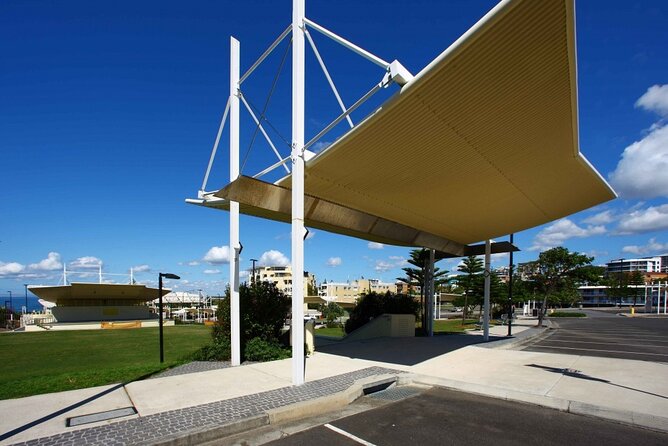
At $12.31 per person, this is priced like a budget activity, not a premium attraction day. For that kind of money, you’re really paying for three things: the app-driven scavenger hunt content, the role system, and the photo challenge framework (plus digital copies of your adventure photos).
If you enjoy puzzles, scavenger-hunt-style tasks, and taking pictures, you’ll likely feel it’s good value. If your idea of a “real” scavenger hunt means hidden objects you physically find, or you want a host to lead you step-by-step, then you may feel shortchanged even at a low price.
Also, this is not set up as a transport-included tour. No private transport is included, so you’ll want to plan how you’ll get to the start point at 1 Spender Ln, Kings Beach.
Before you start: the one logistics item that can make or break it

Bring a smartphone that’s ready to work. The tour runs through the Lets Roam app, which means you’ll be using your phone for maps, clues, and photo challenges. The instructions are clear: make sure your device is fully charged, and bring a power bank if you think you’ll need it.
Comfort matters too. You’re asked to have moderate physical fitness, and the route covers multiple stops on foot. Weather matters as well, so check the forecast and dress for it. Comfortable shoes are not optional if you’re planning to do the full loop and still enjoy the stops.
One more practical note: there’s no tour guide included. That’s the point of the self-led format, but it means you’re responsible for reading the app prompts and keeping the group together.
Where the hunt starts: 1 Spender Ln, Kings Beach, and the freedom of your own pace
The meeting point is 1 Spender Ln, Kings Beach QLD 4551, and the activity ends back at the meeting point. Opening hours run broadly from 7:00 AM to 10:00 PM, so you can choose a time that matches your weather and energy.
Because it’s self-led and private to your group, you’re not stuck with someone else’s pace. If you like to pause for photos or linger at a viewpoint, you can. If your crew prefers to hustle, you can too—just keep an eye on the app timer pacing so you still fit the overall 2-hour experience.
This also makes it a decent option for mixed groups: families with different ages, friend groups with uneven interests, or work teams that want something structured but not too formal.
Stop 1: Caloundra Lighthouses—views first, clues second
The hunt begins with the Caloundra Lighthouses. This is a strong starting point because you’re likely to orient quickly—coast views help you understand what kind of area you’re exploring. It also sets the tone for the whole route: the Sunshine Coast theme is not just a marketing label here.
What you’ll do: follow the app prompt at the lighthouse area, then complete the task connected to that first stage. Since your role can influence photo challenges, make sure the person assigned to Photographer is ready to take the right kinds of shots when the app asks for them.
Possible drawback: lighthouse areas can be breezy, and parking or foot access can vary by exact weather and timing. Wear shoes that handle uneven ground, and keep your phone sheltered if it’s windy or wet.



Stop 2: Caloundra Street Fair—when the route turns into something more lively
Next up is the Caloundra Street Fair. Even if you’re not there on a specific fair day, this stop is useful because it breaks the coastal rhythm with a more town-centered vibe.
This is the kind of stop that can be hit-or-miss depending on what you want from the day. If you enjoy wandering and checking out murals and street scenes, you’ll probably have fun. If you were hoping for more dramatic nature scenery only, you might find the switch from beach air to streets a little jarring.
One extra detail to watch for: the tour concept includes a mural moment—specifically the Dingle Avenue Mural—so keep your camera ready when the app directs you. Photo challenges are where the hunt format really shows its teeth, because they turn seeing into doing.
Stop 3: Caloundra RSL Military Display—context stop with a more reflective feel
The Caloundra RSL Military Display adds a different energy to the route. Instead of only sightseeing, you get a stop that can make the area feel more grounded and human-scale.
What you’ll do here is mostly app-driven: follow the clue, complete the task, and take the required role-related photo if that’s part of the stage. If your group likes learning while they walk, this stop can be a nice pause.
The main consideration: if you’re going with kids who want nonstop action, this may feel slower than the beach and lighthouse sections. If your group is okay with a short “stand and read” moment, it works well.
Stop 4: Bulcock Beach—where your photos usually look best

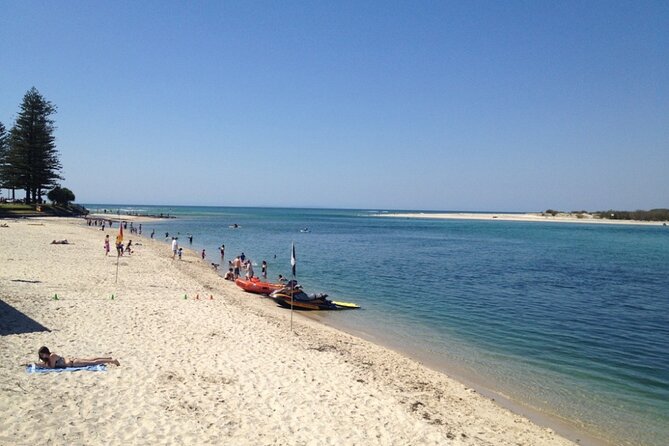
Bulcock Beach is one of the stars of this hunt. It’s a clean change of pace from the landmarks and indoor-ish stops, and the coastline setting makes it naturally photogenic.
The tour concept highlights local storytelling connected to Bulcock Beach, including a note about a legendary ma and pa duo associated with the area. Even if you don’t go deep into the story on your first pass, the app clues give you a reason to slow down and look closer.
What to expect from this stage: you’ll arrive, follow the prompt, and work through your photo challenge if your role calls for it. It’s also a good place to regroup. By now your team has usually figured out how the app flows, and that makes the last stretch less stressful.
Stop 5: Queensland Air Museum—planes, patience, and role-based tasks
The Queensland Air Museum is the next stop. Even if you’re not planning a full museum visit in the traditional sense, this is still a useful inclusion because it adds variety beyond coastal scenery.
How the hunt uses it: the app routes you to the museum area, then guides you through the stage tasks. Since the hunt involves puzzles and role-based photo prompts, you’re not just passing by—you’re actively trying to complete the clue sequence.
Potential drawback: museums can require extra time depending on how your group wants to move through the space. Since this is designed as a 2-hour experience, don’t get so absorbed in the exhibits that you fall behind the app’s next location timing.
Stop 6: Caloundra Regional Gallery—finish with a creative moment
The route wraps at the Caloundra Regional Gallery. This is a good final stop because it shifts the focus from outdoor views and “look for this” prompts to a more creative atmosphere.
If you’ve been doing the role assignments, the gallery stop is often where the Photographer (or whoever has photo duties) can shine. The overall hunt format includes photo challenges at each stage, and you’ll receive digital copies of your photos afterward.
One more detail you’ll appreciate: the tour concept references creative elements like art gallery time, which makes the ending feel intentional rather than abrupt. It helps the outing feel like more than a random walk.
What the app actually does for your group (and why roles help)
The Lets Roam app is doing the heavy lifting. It provides maps, photo challenges, riddles, and leaderboards. The leaderboards part may sound extra, but it can add motivation if your group treats it like a casual competition.
The roles matter because they make it easier to stay organized. Instead of everyone acting the same way, you split responsibilities:
- Braniac: framed around brainy quiz/puzzle participation
- Photographer: focused on the camera tasks
- Mapper: oriented toward navigation and keeping the team pointed correctly
Your best move is to assign roles before you start, not halfway through. That way you’re not negotiating in the middle of a clue prompt, especially if you have different phone speeds or people who need glasses/reading time.
Who this is best for—and who might feel disappointed
This activity is a solid fit for families, hen and stag groups, and work teams. The low price and team roles make it easy to include people who aren’t all into the same travel style.
It’s also a good fit if you like active sightseeing: you don’t just look, you solve and you photograph. Because it’s self-guided, you can also avoid the “tour group herd” feeling.
Where people can run into trouble is expectation. If you’re imagining a scavenger hunt where you hunt for physical items at each stop, or you want a guide to keep the energy high and walk you through everything, then the format may feel too light on interaction.
If you’re okay with an app-led walking game and using prompts to tell you what to do next, it’s a fun way to see Caloundra without planning a route yourself.
Practical tips I’d follow in your shoes
First: keep the team together early. When you get the first set of prompts at the lighthouse area, do a quick group reset—who’s holding the phone, who’s taking photos, and who’s watching the map.
Second: build in small snack or water breaks on the beach stop. Even though the tour includes no food or drinks, you can keep everyone happy with water so you can finish strong at the end.
Third: treat photo challenges like they’re part of the game, not just optional. The tour includes photo challenges for each player and digital copies of your adventure hunt photos afterward, so the effort is usually worth it.
Finally: don’t plan this as a “must be done in exactly 120 minutes” mission. Two hours is an estimate, and photo tasks plus puzzles can slow you down in a good way.
Should you book Caloundra On The Coast?
Book it if you want a low-cost, app-led activity that turns an ordinary walk into a mission. The lighthouse-to-beach-to-gallery flow gives you variety, and the role system helps groups work together without a guide.
Skip it—or go in with eyes open—if you’re expecting a host-led experience or a classic item-hunting scavenger game. This is mostly about following the app prompts around Caloundra and completing photo and puzzle tasks, so your enjoyment hinges on whether you like that style.
If you’re the type who enjoys maps, quick riddles, and taking purposeful photos, you’ll likely have a good afternoon. If you want a structured tour with lots of spoken narration, you’ll probably prefer a different format.
FAQ
How long is the Caloundra On The Coast scavenger hunt?
It takes about 2 hours.
Where does the scavenger hunt start and end?
It starts at 1 Spender Ln, Kings Beach QLD 4551, and ends back at the same meeting point.
Do I need to bring tickets or pay attraction entry fees?
Attraction fees are not included, and no attraction entry fees are listed as part of the package.
What’s included in the price?
You get the self-guided adventure hunt through the Lets Roam app, role assignments for each player, photo challenges, digital copies of your photos, and phone/email/chat support.
Do we get a tour guide?
No. This is self-guided, and a tour guide is not included.
What do I need to use the app during the tour?
You need a fully charged smartphone to navigate and interact with the app. A power bank is recommended if you think you’ll need extra battery.
If you want, tell me your group size and ages, and whether you’re starting in the morning or evening—I can suggest the best way to time your route around beach and breeze.